

Subscribe to our calendar on your iPhone
Step 1: On your iPhone, Highlight and copy the ICS File Address.
St Nicholas Google Calendar ICS File Address:
https://calendar.google.com/calendar/ical/stnicholaspella%40gmail.com/public/basic.ics
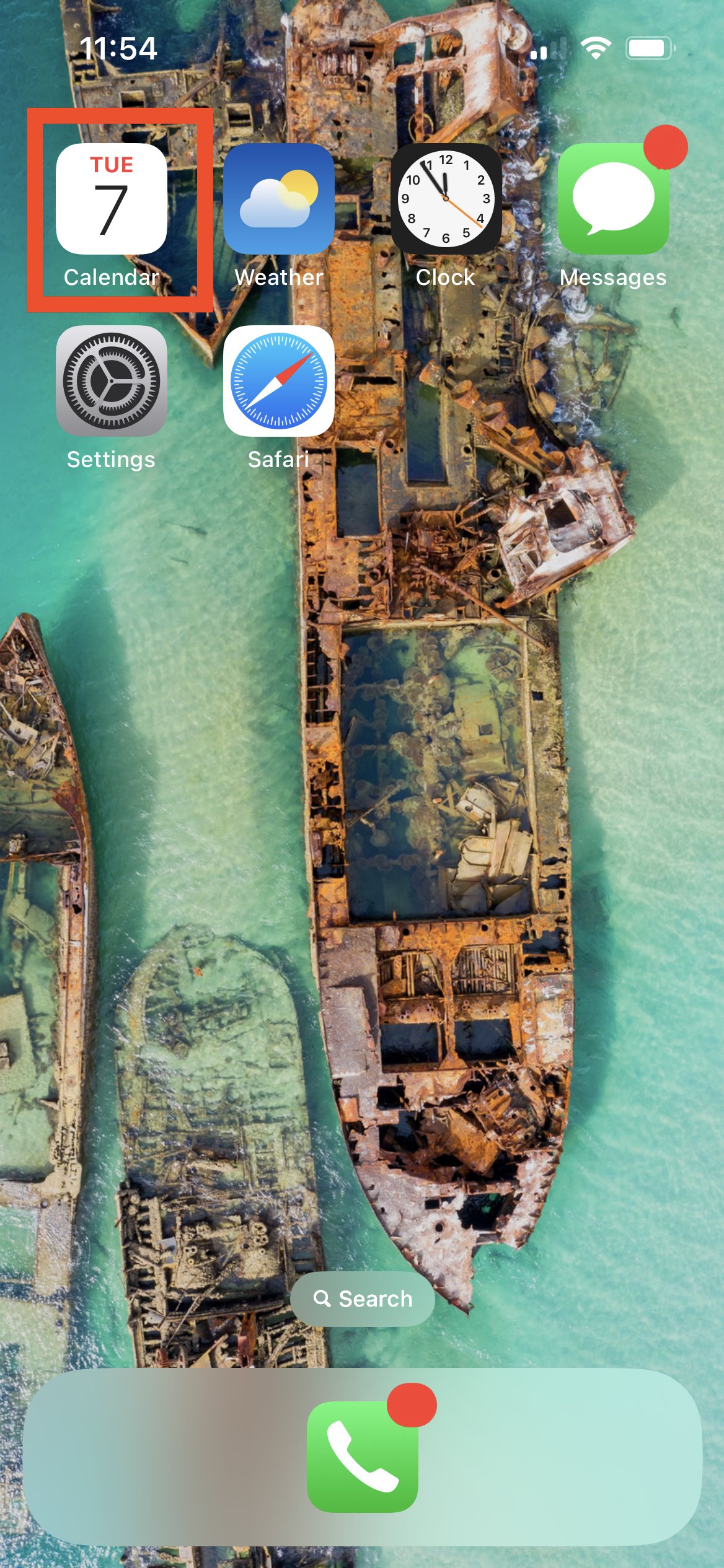
Step 2: Open the Calendar App
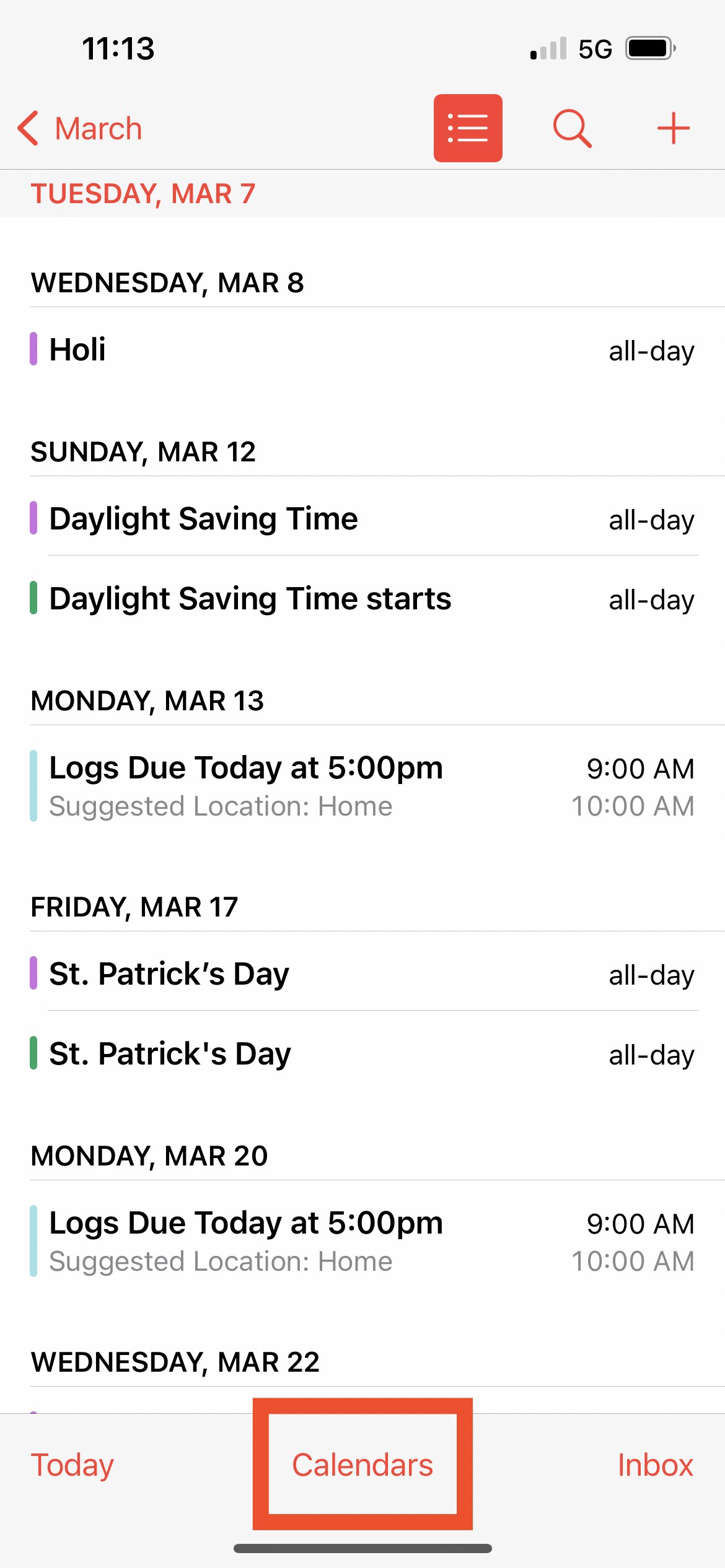
Step 3: Tap “Calendars” at the bottom of the screen.
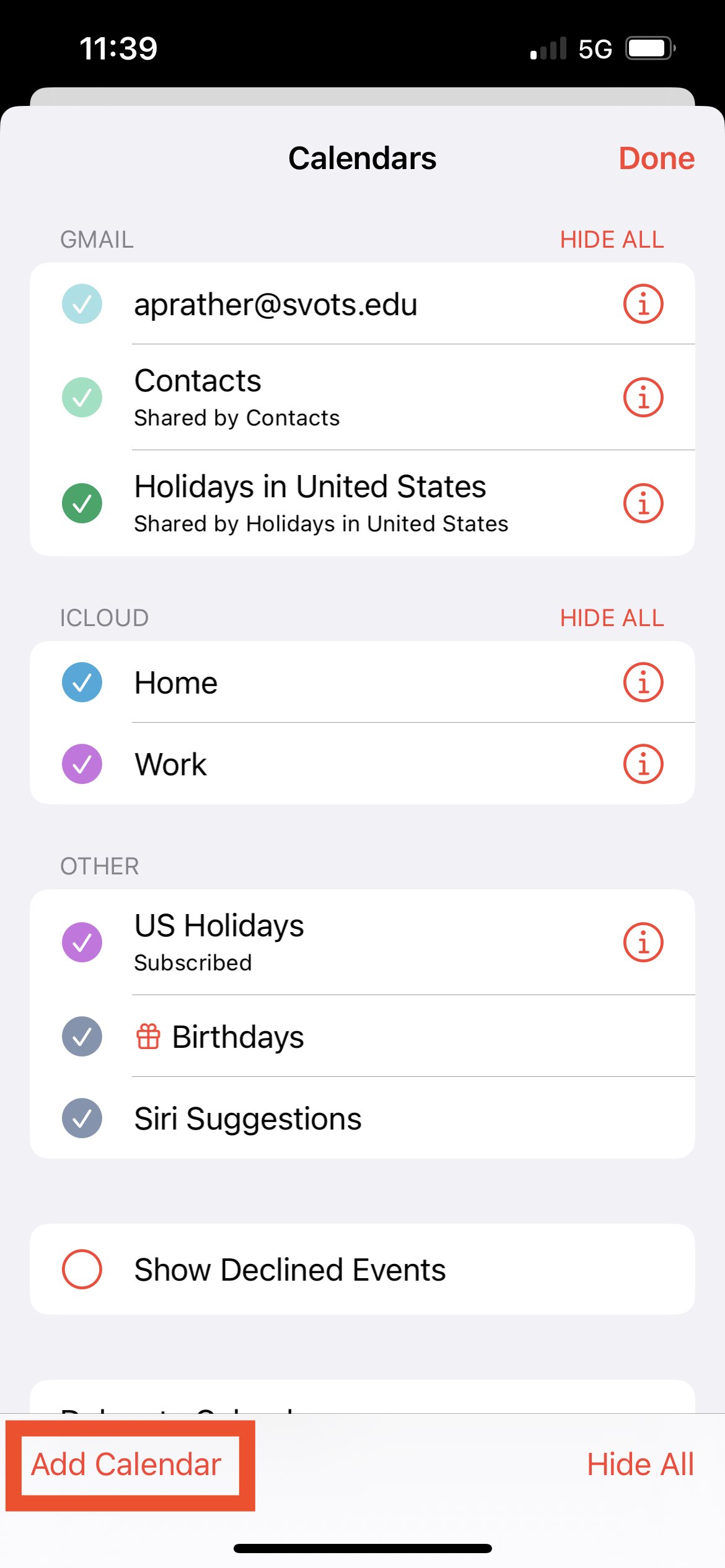
Step 4: Tap “Add Calendar” at the bottom of the screen.
Step 5: Tap “Add Subscription Calendar” on the menu that appears.

Step 6: Paste in the ICS File Address you copied into the SUBSCRIPTION URL

Step 7: Tap “Subscribe”

Step 8: Tap Add
